
Safety Features vs. Interactive Functions: What Matters More in Kids' Gadgets?
Safety or fun what matters more in kids' gadgets? Discover how to balance essential safety features with engaging interactive functions to make the best choice for your child.
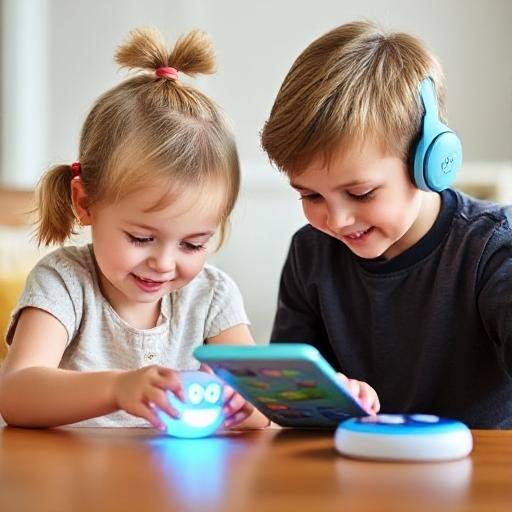
Alright, parents! You are the unsung heroes of modern-day parenting, trying to navigate the digital jungle while ensuring your kid doesn’t turn into a screen-addicted gremlin. Let’s talk kids’ gadgets the battle between safety and fun (cue dramatic music).
Kids’ Gadgets: Fun vs. Safety – The Ultimate Showdown!
In today’s tech-crazed world, kids are practically born knowing how to swipe a screen. But how do you, dear parent, make sure they’re having fun without downloading chaos? Do you go full "Super Safety Squad" mode or let them roam free in the gadget wilderness? Let’s break it down in a way that doesn’t make you want to throw the tablet out the window.
Safety First! Because Chaos Is Not Cute
Listen, we all know kids have the reflexes of a stunt double when it comes to breaking things. You buy a brand-new gadget, and within five minutes, it’s either in the toilet, stuck in slime, or mysteriously “not working” (translation: your toddler just chewed on it). So, safety is non-negotiable.
Picking the Right Gadget Because We’re Not Raising Tech Wizards Just Yet
Toddlers: Their gadgets need to be indestructible (because they WILL test the laws of physics). Look for soft edges, big buttons, and chew-resistant material.
Preschoolers: They are tiny detectives, pressing every button they see. Simple, brightly colored interfaces work best to keep their curious little brains entertained.
Older kids: They think they’re tech experts. They are not. They need gadgets that are cool but still safe, meaning security features matter more than a million apps.
Parental Controls: AKA Your Digital Superpower
Ah, parental controls. The modern version of "Because I said so!" Here’s why they matter:
Content filters: So your kid doesn’t accidentally learn the entire plot of a horror movie on YouTube.
Screen time limits: Because at some point, they should remember what grass feels like.
Activity tracking: You can casually monitor their gadget habits without them feeling like you're spying (you totally are).
Data Privacy: Because Hackers Don’t Need to Know Your Kid’s Favorite Snack
Some gadgets love collecting data like kids love collecting random rocks from the park. Here’s how you keep your child’s info safe:
Encryption: Protects their data from cyber snoops.
Secure logins: Keeps sneaky apps from snooping.
Minimal data sharing: If an app asks for more info than you when applying for a passport run.
Now, Let’s Talk Fun: Gadgets Should Spark Joy!
Yes, gadgets should be safe, but if they’re boring, your kid will throw them in a corner and demand your phone instead. Let’s keep them entertained (without a meltdown).
Learning But Make It Fun
The best gadgets trick kids into learning by making it feel like a game. Some interactive features include:
Educational apps: Designed to teach math, science, reading, and problem-solving.
Augmented reality (AR): Brings learning to life by overlaying digital content onto the real world.
Creative tools: Drawing apps, music programs, and coding games encourage imagination.
Social Features Because Kids Need More Friends Than Just Wi-Fi
Gadgets aren’t just for solo play they can help kids socialize and collaborate. Look for devices that offer:
Multiplayer games: Encourage teamwork (or sibling rivalry).
Kid-friendly messaging: So they’re not secretly texting the neighbor's cat.
Educational forums: A safe space where they can nerd out with other kids.
Entertainment That’s Not Just Screen Glued to Face
Look for gadgets that encourage problem-solving, creative expression, and exploration so kids actually interact with the world instead of just pixels.
Interactive stories: Reading without complaints? Yes, please!
Puzzle-solving games: Boost cognitive development and critical thinking.
Creative exploration: Art, music, storytelling let their imagination run wild!
Finding the Balance: Safety vs. Fun Without Losing Your Sanity
Alright, parents. This is where your wisdom comes in. The balance between safety and interactive features depends on your kid's age and wild factor.
Prioritizing Safety vs. Fun Based on Age
Tiny humans (ages 2-6): The goal is safe, simple, and unbreakable. No unnecessary flashy distractions.
Bigger kids (ages 7-12): They can handle more learning-based gadgets with fun features.
Teenagers (ages 13+): They’ll demand more freedom. Just make sure their gadgets don’t secretly teach them hacking.
Smart Parent Shopping Guide: Because You Deserve Less Stress
Finding the perfect gadget shouldn’t make you feel like you need a degree in computer science. Follow these hacks, and you’ll pick the best one!
Safety Certifications: The “Good Parent” Seal of Approval
Look for gadgets approved by:
Consumer Product Safety Commission (CPSC) (so your kid doesn’t accidentally turn their toy into a weapon).
Underwriters Laboratories (UL) (because safety first, always).
Check the Age Range
Manufacturers include suggested ages believe them (don’t assume your 3-year-old needs a smartwatch).
Think long-term Will they still love this gadget in a year, or will it end up buried under stuffed animals?
Read Reviews (Because Real Parents Spill the Truth)
Other parents have already tested the gadget, so check reviews on:
Durability: Is it toddler-proof?
Ease of use: Is it kid-friendly, or will YOU be stuck troubleshooting?
Value for money: Is it worth the price, or is it just another expensive dust collector?
Know the Features Before Buying
Parents should research key terms like:
Screen time limits You NEED these.
Privacy settings Because data should be protected, not passed around.
Learning vs. entertainment balance Keep kids engaged, not zoned out.
Let Your Kid Help Pick (With Boundaries)
Ask them what they like They’ll have preferences, but YOU set the rules.
Make sure they understand gadget safety They should know what they can and can’t do.
Final Thoughts: Because You’re Crushing It, Parents!
You’re doing amazing balancing fun, learning, and safety in this digital world. By focusing on age-appropriate gadgets, strong parental controls, and engaging features, your child gets the best of both worlds.
You got this. Go forth and conquer the tech aisle like the parenting legend you are!